serhii.net
In the middle of the desert you can say anything you want
-
Day 2506 (10 Nov 2025)
Setting up label-studio with a local directory
Refs:
- Adding a local folder as storage backend: Label Studio Documentation — Cloud and External Storage Integration
- Input .json tasks format: Label Studio Documentation — Import Data into Label Studio
The steps are:
- Create a local directory that will contain the files. Let’s assume
/home/sh/w/t/labelstudiodata - Create a subfolder there to keep your images, e.g.
pics, making the full path/home/sh/w/t/labelstudiodata/pics - Create your input data json.
[
  {
    "data": {
      "ref_id": 1,
      "image": "/data/local-files/?d=pics/cat1.png",
      "image2": "/data/local-files/?d=pics/cat2.png",
      "image3": "/data/local-files/?d=pics/cat3.png"
    }
  },
  {
    "data": {
      "ref_id": 2,
      "image": "/data/local-files/?d=pics/dhl1.png",
      "image2": "/data/local-files/?d=pics/dhl2.png",
      "image3": "/data/local-files/?d=pics/dhl3.png"
    }
  }
]
In the data, the paths are
/data/local-files/?d=pics/cat1.png— start with/data/local-files/?d=, then the subdir, then the path to the file itself (here it’s flat:cat3.jpg)- Start label-studio thus:
LABEL_STUDIO_LOCAL_FILES_SERVING_ENABLED=true LABEL_STUDIO_LOCAL_FILES_DOCUMENT_ROOT=/home/sh/w/t/labelstudiodata label-studioLABEL_STUDIO_LOCAL_FILES_DOCUMENT_ROOTshould point to your folder, WITHOUT the subfolder (nopics/) , and be absolute.- Add your directory as storage backend.
Create your project as usual, and open its settings. The absolute local path is the SUBFOLDER of the document root:
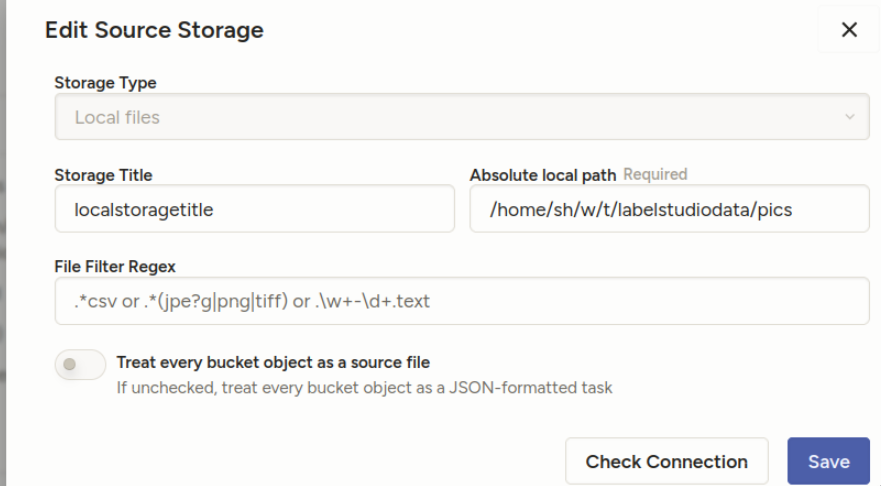
“Treat every bucket as source” should be unchecked — in the documentation, they describe it differently from the screenshots, but it’s equivalent:
- 8. Import method - select “Tasks” (because you will specify file references inside your JSON task definitions)
“Check connection” should tell you if everything’s OK.
- DON’T sync the storage. Import the json you created from project import.
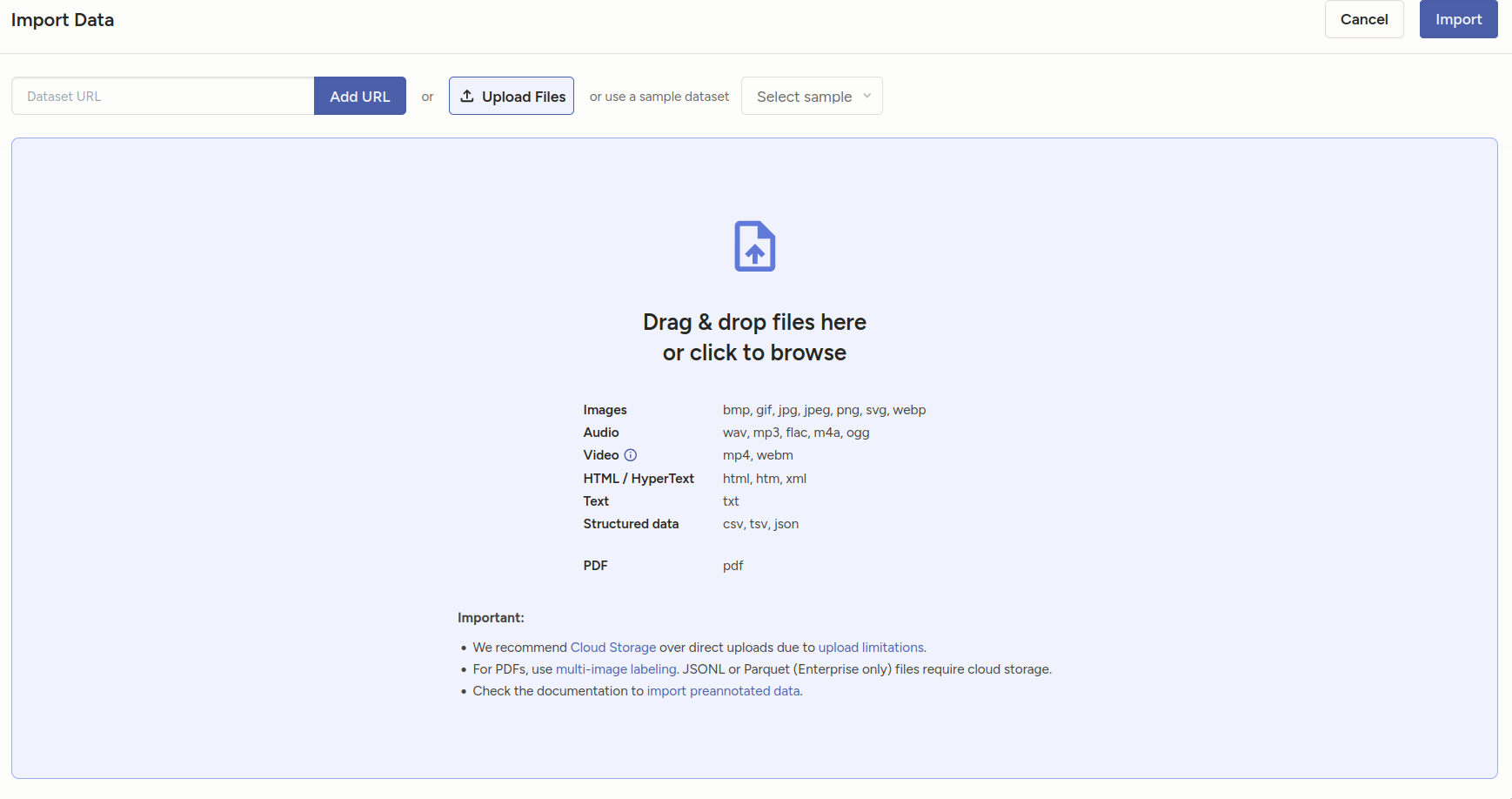
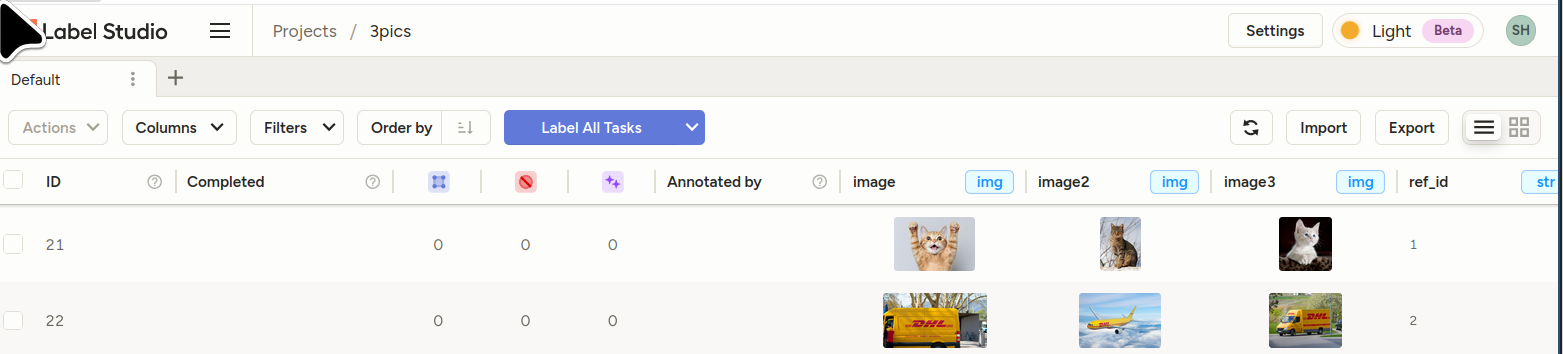
You should see your tasks.
- Bonus sample template for the above: []
<View>  <View style="display: grid;  grid-template-columns: 1fr 1fr 1fr; max-height: 300px; width: 900px">  <Image name="image1" value="$image"/>
  <Image name="image2" value="$image2"/>
  <Image name="image3" value="$image3"/>  </View>
  <Choices name="choice2" toName="image2">
    <Choice value="Adult content"/>
    <Choice value="Weapons"/>
    <Choice value="Violence"/>
  </Choices>
</View>
-
Day 2480 (16 Oct 2025)
Nu shell
[Tried it, realized that it’ll replace 80% of my use-cases of jupyter / jq etc., and improve viewing of random csv/json files as well!
(Previously: 250902-1905 Jless as less for jq json data and csvlens)
- Parentheses are used for grouping:
$somelist | where ($it in (open somefile.json)) | length
Config in
~/.config/nushell/config.nu, editable byconfig nu, for now:$env.config.edit_mode = 'vi' $env.config.buffer_editor = "nvim" # `config nu` alias vim = nvim alias v = nvim alias g = git alias k = kubectl alias c = clear alias l = ls alias o = ^open[]
- Parentheses are used for grouping:
-
Day 2465 (01 Oct 2025)
OlmOCR for pdf-png-xxx to text
allenai/olmocr: Toolkit for linearizing PDFs for LLM datasets/training
Online demo: https://olmocr.allenai.org/
- can be exposed through eg vllm
- really cool results on messy docs
-
Day 2457 (23 Sep 2025)
OpenAI API notes
Tokenizing
curl -X 'POST' \
  'http://localhost:8001/tokenize' \
  -H 'accept: application/json' \
  -H 'Content-Type: application/json' \
  -d '{
  "model": "mistralai/Mistral-Small-24B-Instruct-2501",
  "prompt": "my prompt",
  "add_special_tokens": true,
  "additionalProp1": {}
}'
-
Day 2456 (22 Sep 2025)
jupyter notebook jupyterlab extensions with uv
Creating jupyterlab environments w/ uv
# Create a new uv environment
uv init --name bbk-presentation --bare
# Add ipykernel
uv add --dev ipykernel
# Install the kernel in jupyterlab
uv run ipython kernel install --user --env VIRTUAL_ENV $(pwd)/.venv --name=bbk-paper

# Add whatever you need to the environment
uv add pandas seaborn

# Support "%pip" magic **and installing extensions through jupyterlab UI!**
uv venv --seed

# Start jupyterlab
uv run --with jupyter jupyter lab
uv venv --seedis advertised in uv’s help, it seems also to work for installing extensions through the UI, though not sure how official/supported that is. But it works for me.Cool extensions as of 2026-02-12:
- jupyterlab-vim
- jupyter-ruff instead of black
Old notes, not sure how valid anymore
uv add jupyterlab-vim
uv run jupyter labextension list
uv run jupyter labextension enable jupyterlab_vim
uv run jupyter lab
-
Day 2450 (16 Sep 2025)
status of running copy move cp mv rsync operations with progress
apt install progress: Xfennec/progress: Linux tool to show progress for cp, mv, dd, … (formerly known as cv)progress -wgives status of running copy/mv operations- (for when you don’t
rsync -aP)
-
Day 2446 (12 Sep 2025)
Downloading stuff from HF hub through huggingface cli
 pip install -U "huggingface_hub[cli]"

 #either of
 hf auth login
 hf auth login --token $HF_TOKEN

 # models
 hf download adept/fuyu-8b --cache-dir ./path/to/cache
// TODO — vllm — will it be
VLLM_CACHE_ROOTorHF_HOME?Also: Troubleshooting - vLLM — they literally recommend getting it first via hf cli and passing the full path
-
Day 2445 (11 Sep 2025)
pydantic validation and fields and assignments
Lost cumulatively hours on these things this months.
MODEL_CONFIG = ConfigDict(
    serialize_by_alias=True,  # why doesn't this, alone, work?
)
Guess why? Because I have pydantic 2.10, the config above was introduced in 2.11, and it just quietly allows me to set this config value. (Configuration - Pydantic) (Ty
tyfor picking up on this)Next. Configuration - Pydantic
ConfigDict(
    arbitrary_types_allowed=False,  # disallow obj.invalid_field = "whatever"
)
For my own models as well. Setting
obj.name='test'when you wantobj.step_nameis almost never a good idea.And again about serialize_by_alias: will be default in pydantic v3, which I welcome, because if you forget to
model_dump(by_alias=True)then the model will be dumped with unexpected names, which will then be quietly deleted when you try to initialize a new model from that dict through e.g.NewModel(**old_model.model_dump()). (Should’ve validated anyway, but…)
-
Day 2444 (10 Sep 2025)
pdb and pdbpp aliases and configs
~/.pdbrcgets read by both of them, and can import stuff and use aliases!# ! makes it python code to be executed !import rich # # alternative if not !importing it above in one comman:d # alias P !import rich; rpprint(%1) alias I rich.inspect(%1) alias ppp rpprint(%1) print("Custom commands:") print("\t i $thing — rich inspect $thing") print("\t ppp $thing — rich pretty print $thing")EDIT: the above works only if rich is already imported.
-
Day 2438 (04 Sep 2025)
More uv things
I found out about
uv self upgradewhich took me from 0.5 to 0.8, read the CHANGELOGs etc. and many neat things exist.- Upgrading packages:
- .. is confusing: Add option to upgrade all packages in the environment, e.g.,
upgrade --all· Issue #1419 · astral-sh/uv - change uv.lock only, not pyproject.toml
uv add -U pydanticone packageuv lock --upgradeall of them?
- .. is confusing: Add option to upgrade all packages in the environment, e.g.,
- Testing packages not yet on pypi/…:
uv buildpackage you want to use- in the other project:
uv add ../other/dist/package-2.4.0-py3-none-any.whl - when doen, just delete from pyproject lines like:
[tool.uv.sources] coral-ucf = { path = "../other/dist/package-2.4.0-py3-none-any.whl" } - (see also: 250804-1444 Using a private gitlab repository with uv)
- Upgrading packages: